Lifestyle
Mobile App
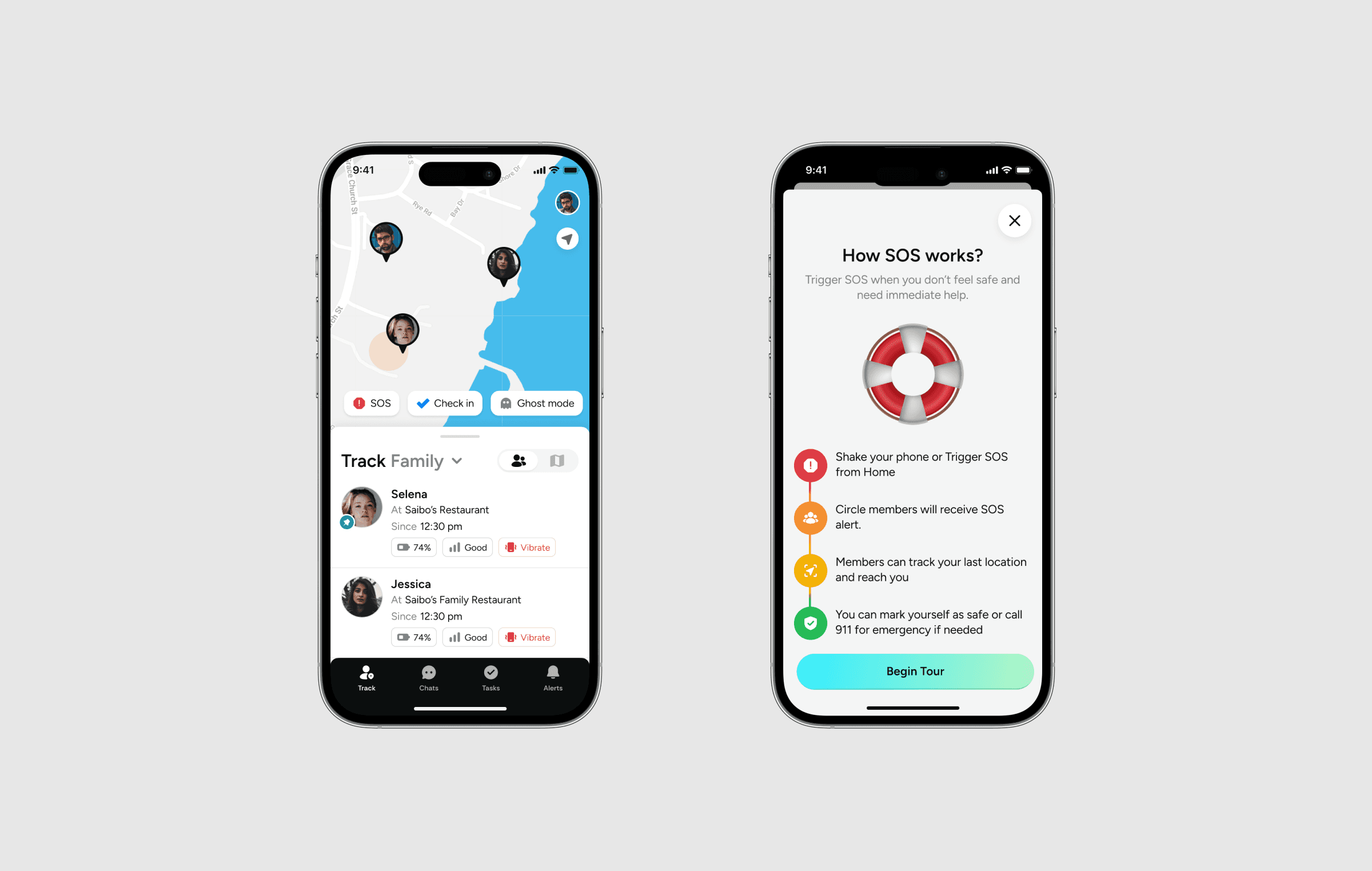
TripCircle was created to meet the needs of modern families who want to stay connected and organized. It helps families track locations and organize household chores in real-time.
Design Brief
Design an app to help busy parents streamline their child's daily activities, allowing them to be more productive at work while also ensuring their children's safety.
Understanding our user base
To begin, we needed to understand who would benefit the most from TripCircle. Initially, we thought our primary users would be parents and children. However, after talking to potential users, we discovered several important groups.
Administrators
These are the people who create and manage groups. They're usually concerned about their family's well-being. This group includes:
Age group: 25 to 55 years
Target Audience: Working parents, heads of families, and possessive couples
Tracked Individuals
These are people who are difficult to communicate with via messages or calls, often less tech-savvy. This group includes:
Age group: 12 to 18 years, and above 50 years.
Target Audience: Children, elderly parents, disabled people, and patients.
Insights from User Interview
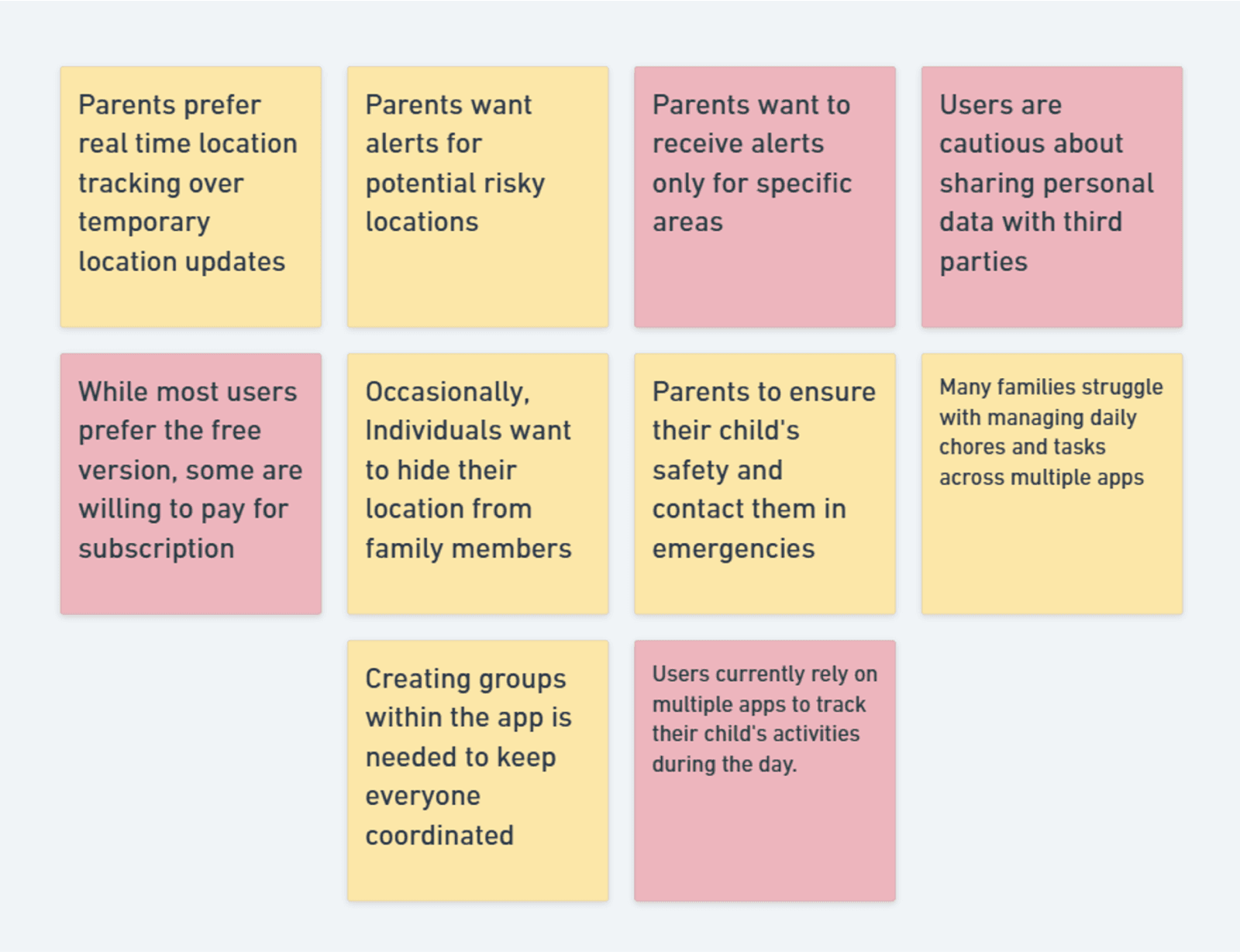
To validate our assumptions and get deeper insights, we spoke with three users who had experience using similar apps. Combining their feedback with reviews from app stores gave us valuable insights into user needs.
Competitor analysis
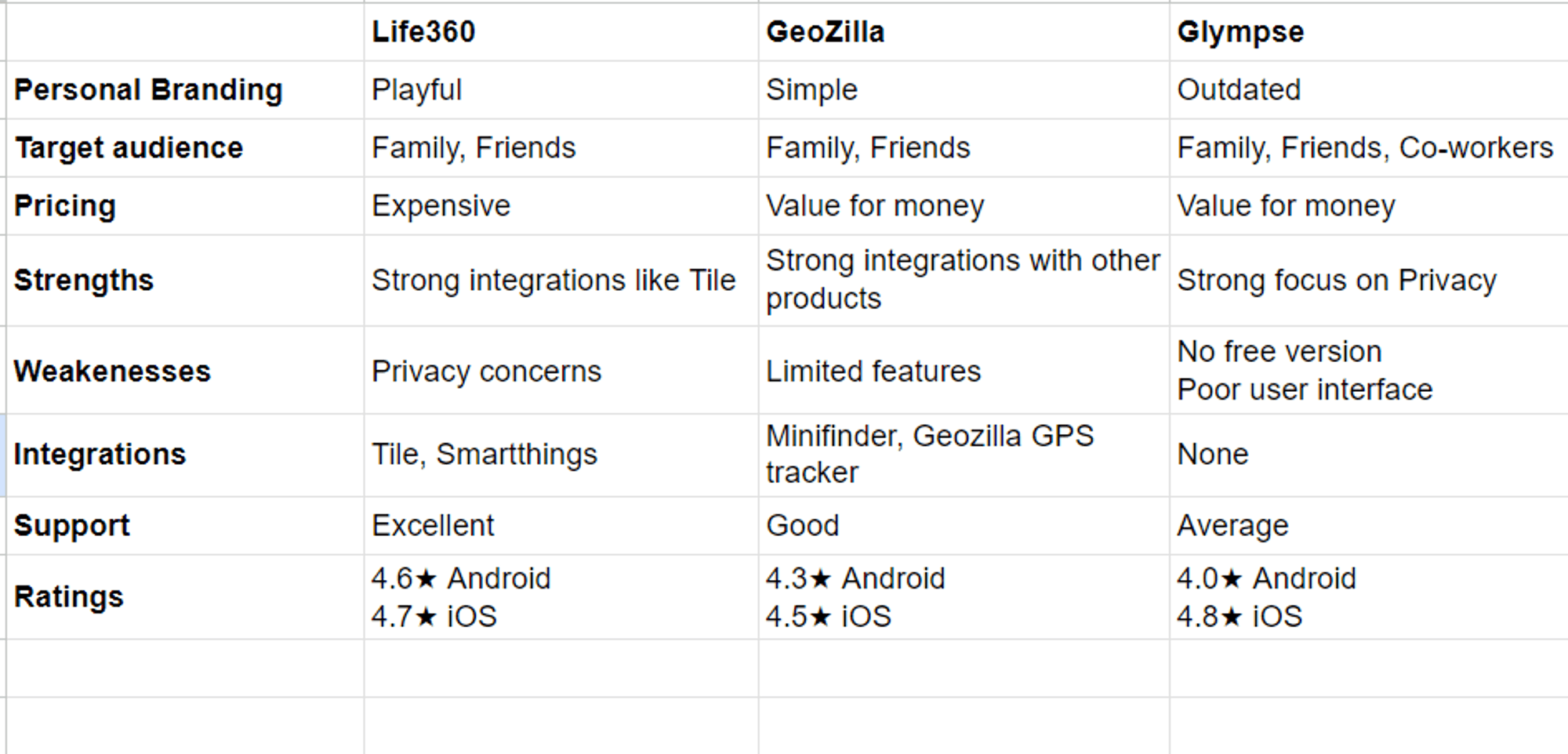
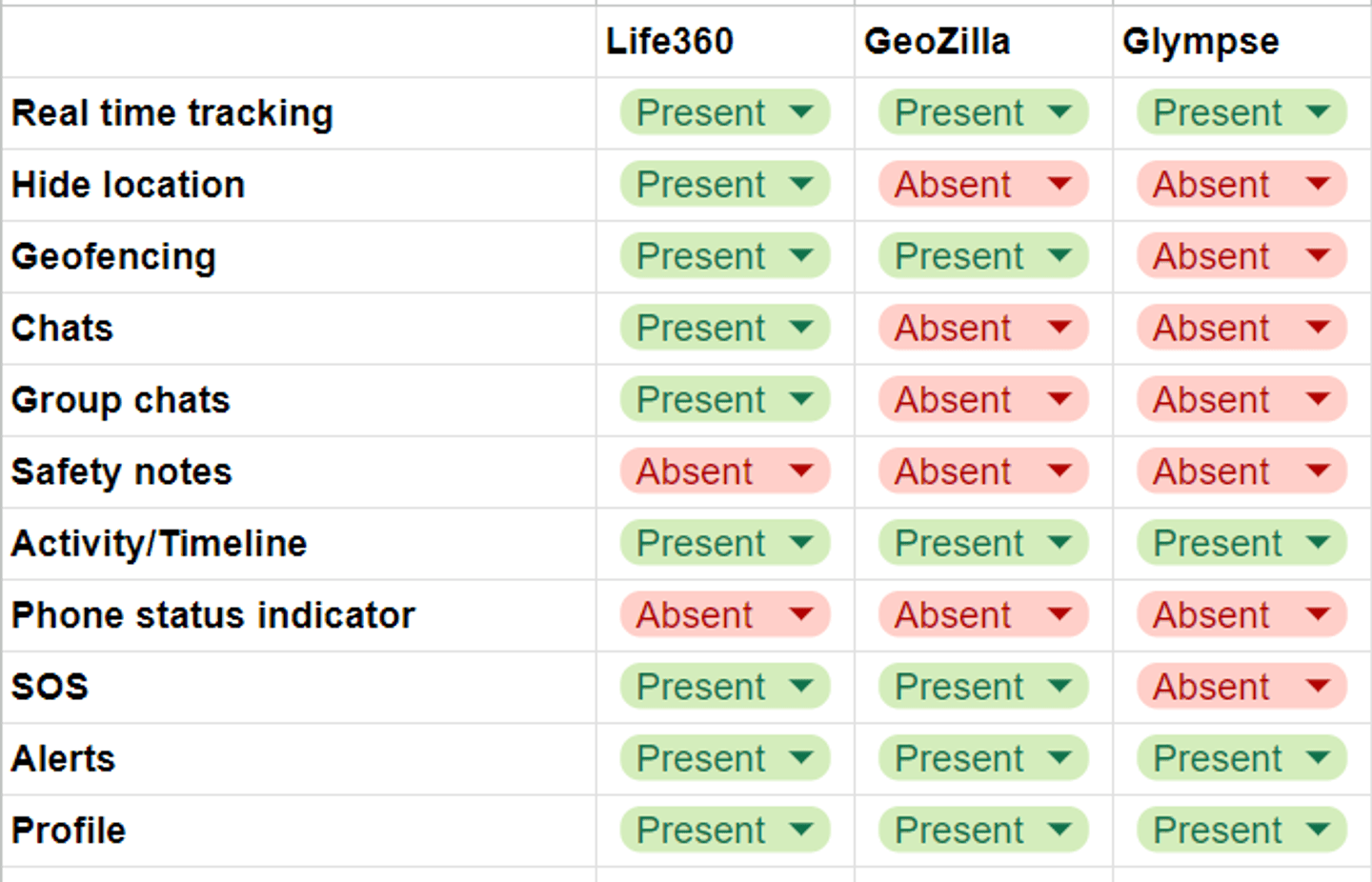
Next, we performed a competitor analysis to identify market gaps, enabling us to pinpoint opportunities for developing new features and improving existing ones, ultimately making TripCircle stand out.
Planning a Solution
With a clear understanding of our users and competitors, we brainstormed solutions to address the major problems. These solutions were aimed at improving user experience and ensuring the app met their needs.
📍 Accuracy Concerns
Last Known Location: Shows the last known location if the current one is unavailable, providing transparency.
😟 Data Sharing Concerns
Data Security Education: Educating users about data security practices.
Account Deletion Option: Allows users to easily delete their accounts, addressing privacy concerns.
🤦🏼♂️ Complex User Interface
Familiar Design Patterns: Using simple, existing design patterns to reduce the learning curve.
Separate Child App: A simplified, child-friendly app (if budget allows).
🔔 Limited Customization
Geofencing and Alerts: Allows customizable notification system based on users preferences.
🪫 Battery Drain
Customizable Update Intervals: Offering update frequency options (e.g., every 5 minutes or hourly).
👨👩👧👦 Hinders Family Relationship
Gamification: Incentivizing children to use the app through rewards and streaks.
Fun Activity: Sharing fun activities like mini games to strengthen family bonds.
Features Prioritization
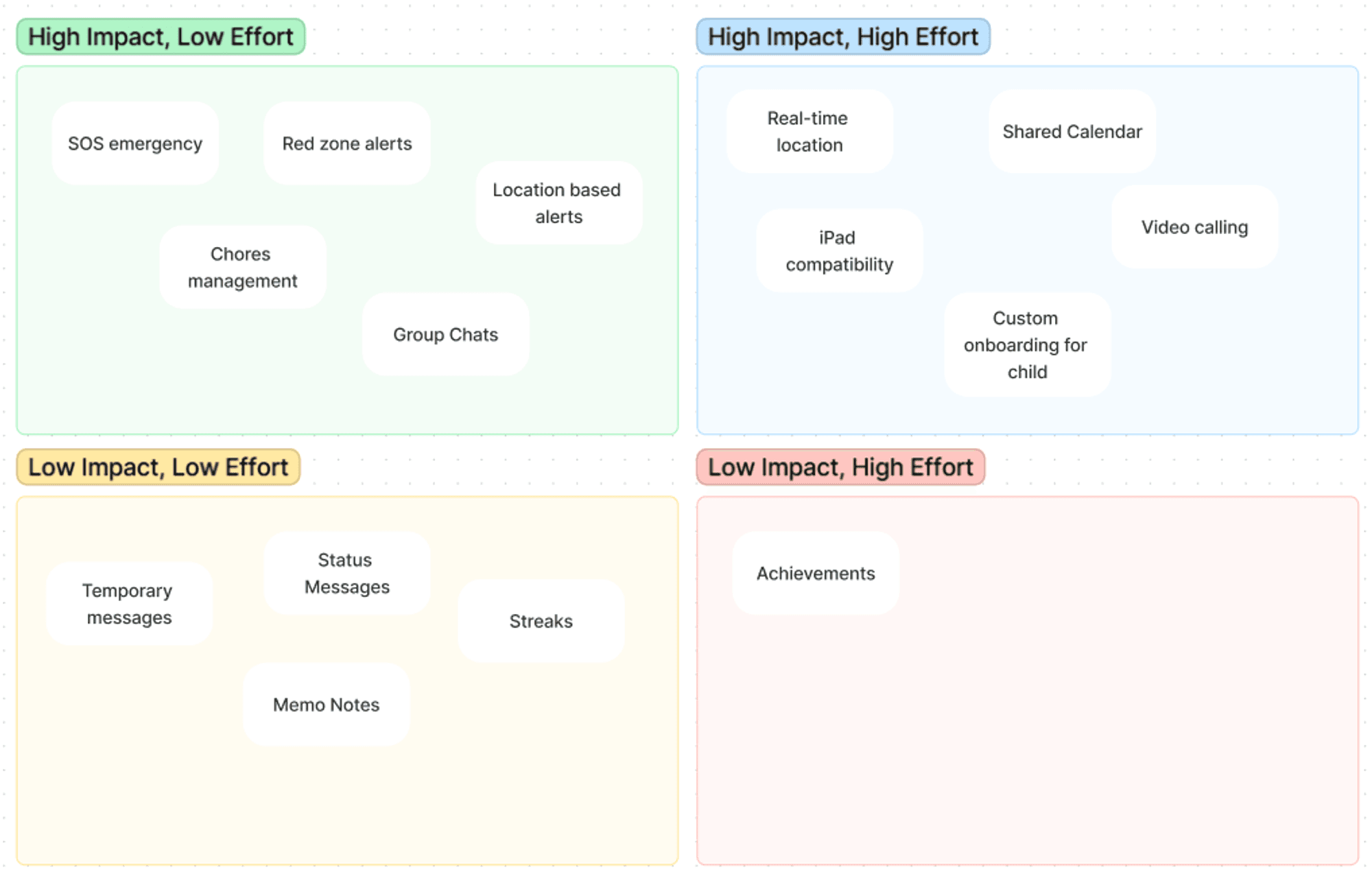
We needed to prioritize these features based on resources and project deadline. Using an impact vs. effort matrix, we ensured that we focused on delivering the most critical features on time.
Monetization Strategy
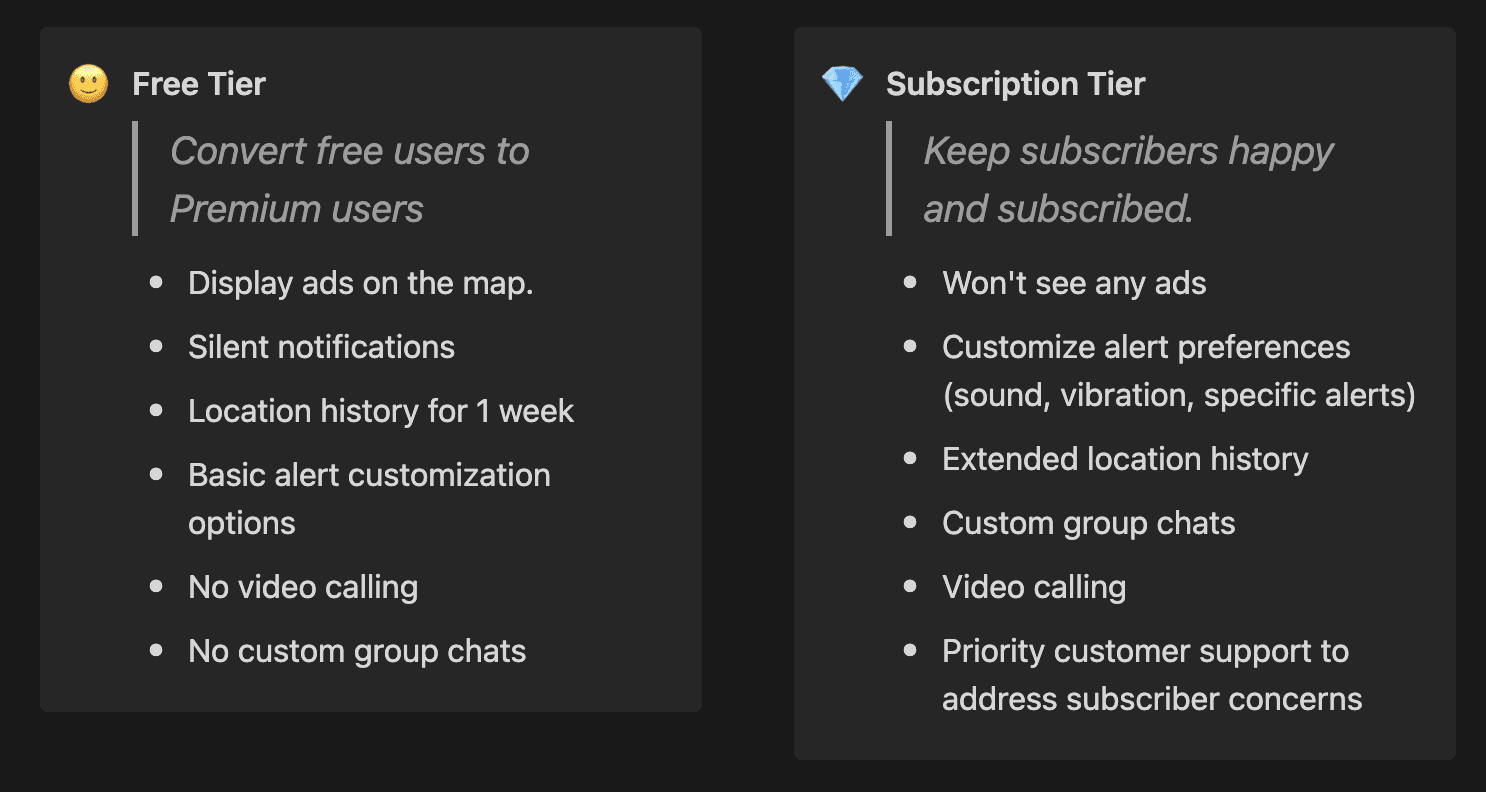
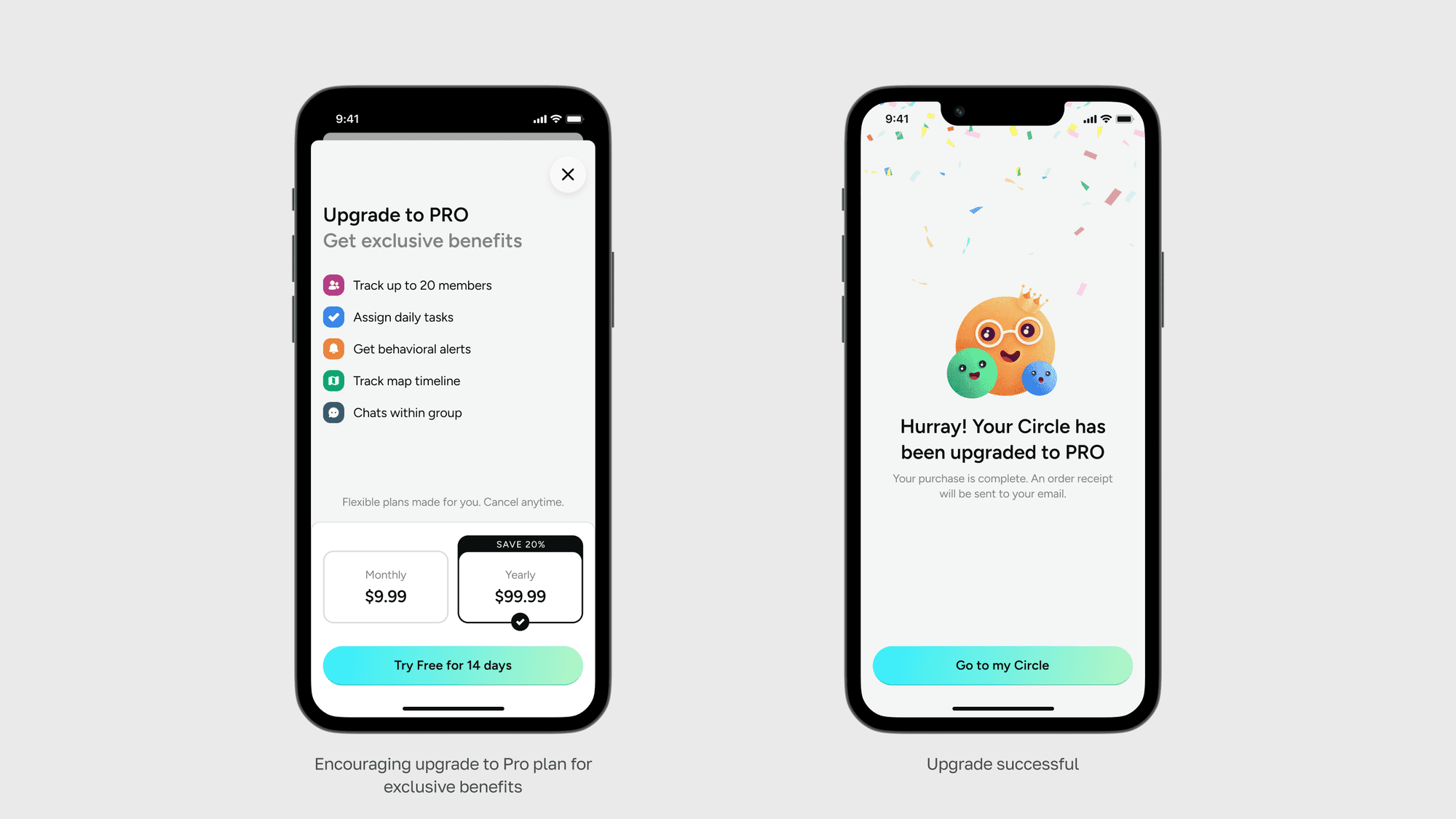
To sustain our app, we developed a monetization strategy aimed at converting free users to premium subscribers by offering additional features and benefits.
Defining Structure
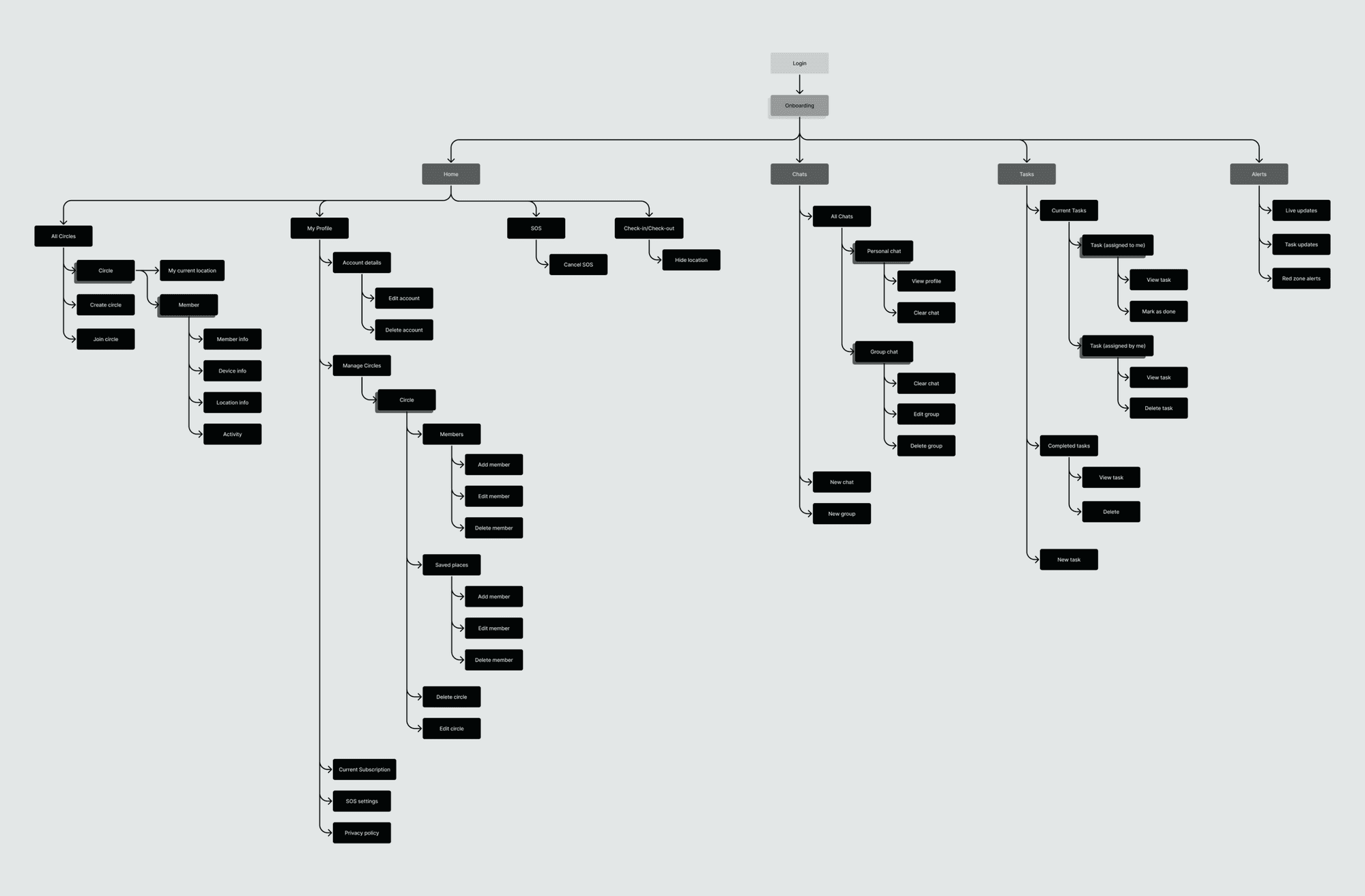
Having a clear structure was essential for a smooth user experience. I created an information architecture to ensure all features were easy to find and use, considering usability and accessibility for all ages.
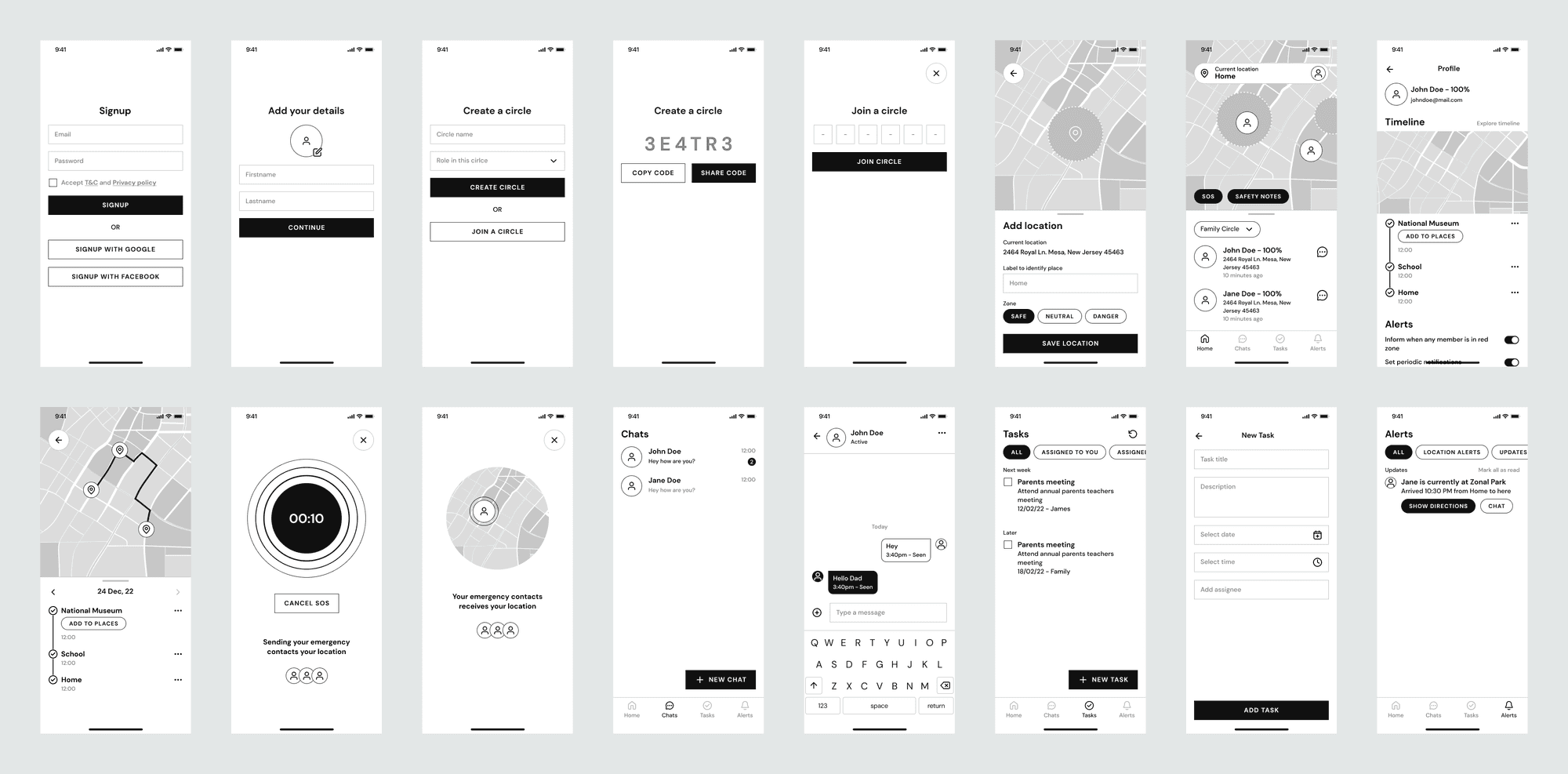
Next, we developed wireframes to visualize the app layout. Testing these wireframes with internal stakeholders allowed us to gather feedback and make necessary iterations before finalizing the design.
Design
With our key flows finalized from the wireframes, we moved on to the final design phase. We then tested the app modules with users to gather feedback and make improvements based on their input.
Onboarding the user
I kept the onboarding process simple for new users by only asking for necessary details.
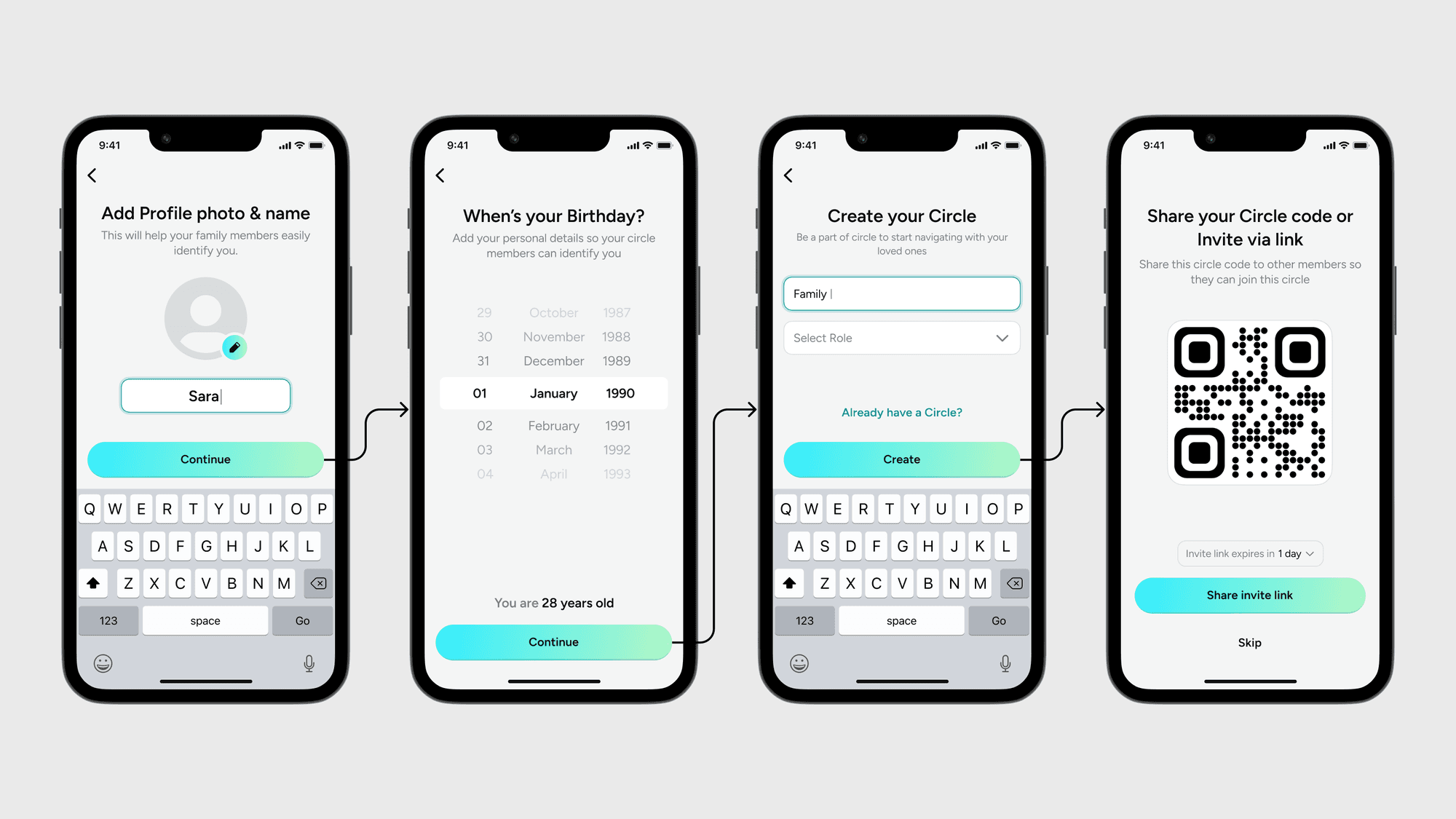
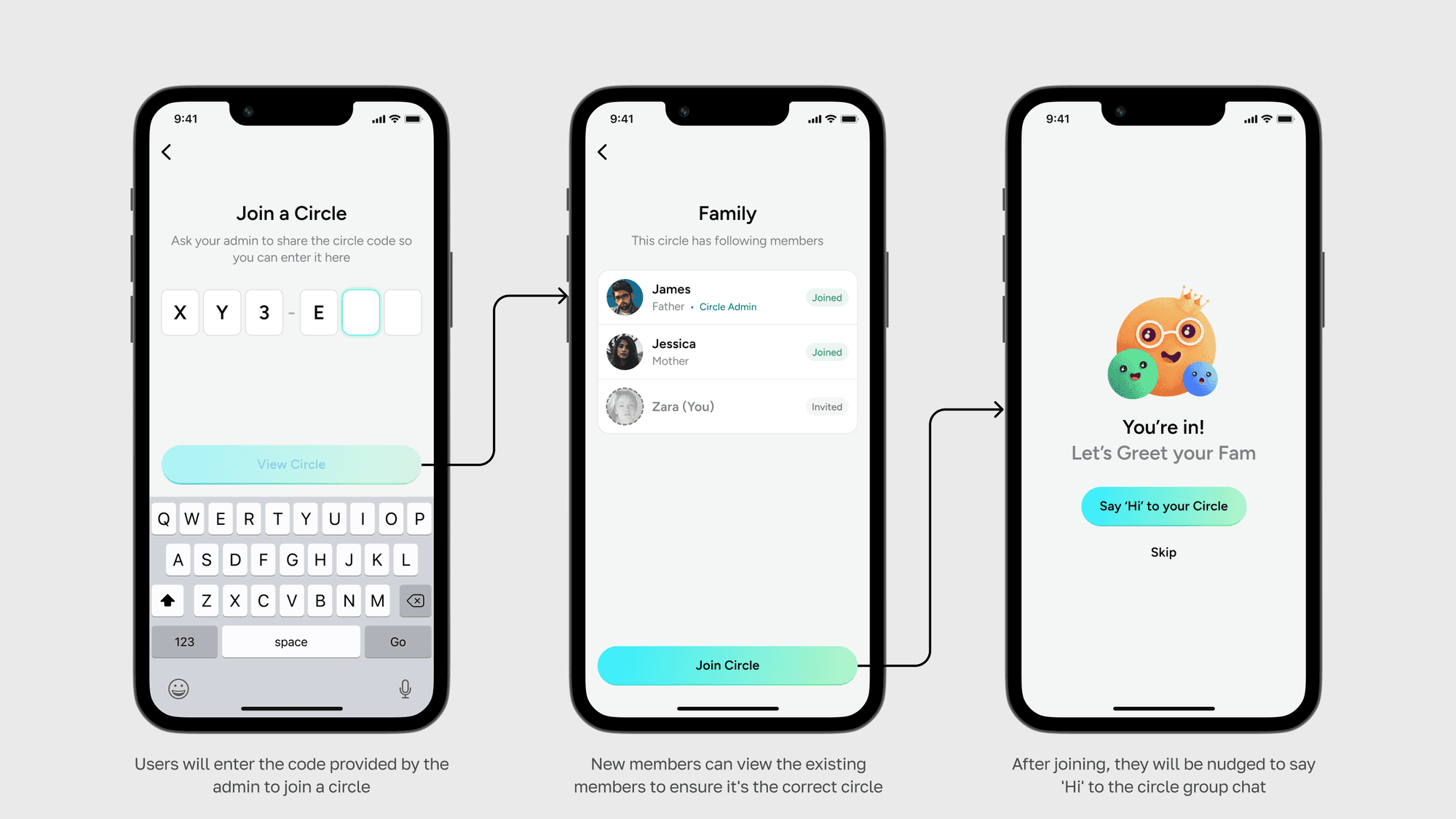
As part of our user onboarding, we prompt users to create or join a circle. If a user chooses to create a circle, we guide them to include a circle name and recognizable label, such as "friend", "mother", "brother", etc.
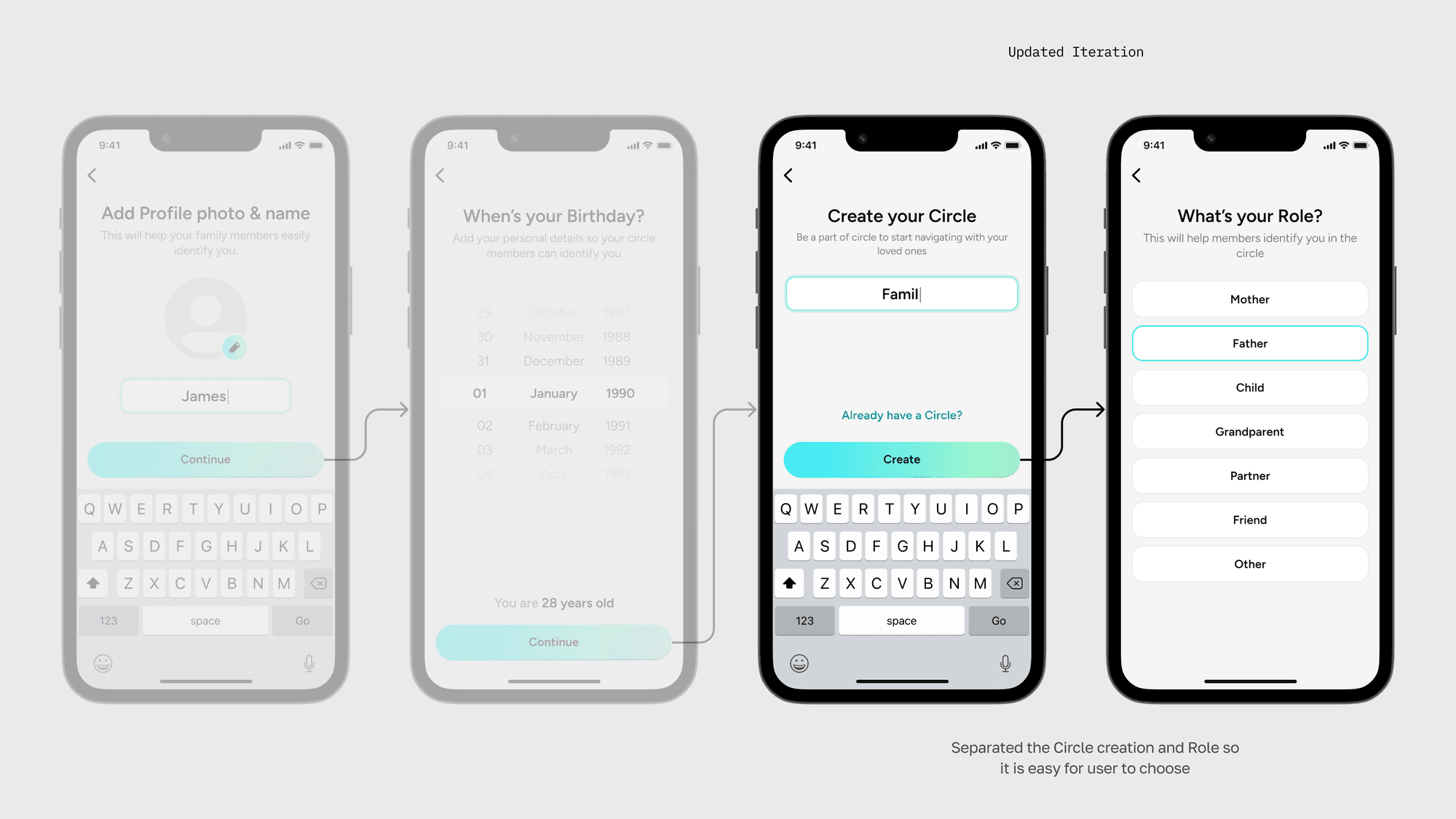
User testing revealed a major problem - Needing to scan a code in the middle of the onboarding process proved to be a frustrating experience for most users.
To fix this, we introduced easier methods: alphanumeric codes and expiring invite links. This is actually a well-tested approach that many apps use. These links even expire after a day to keep your circle safe from unwanted visitors!
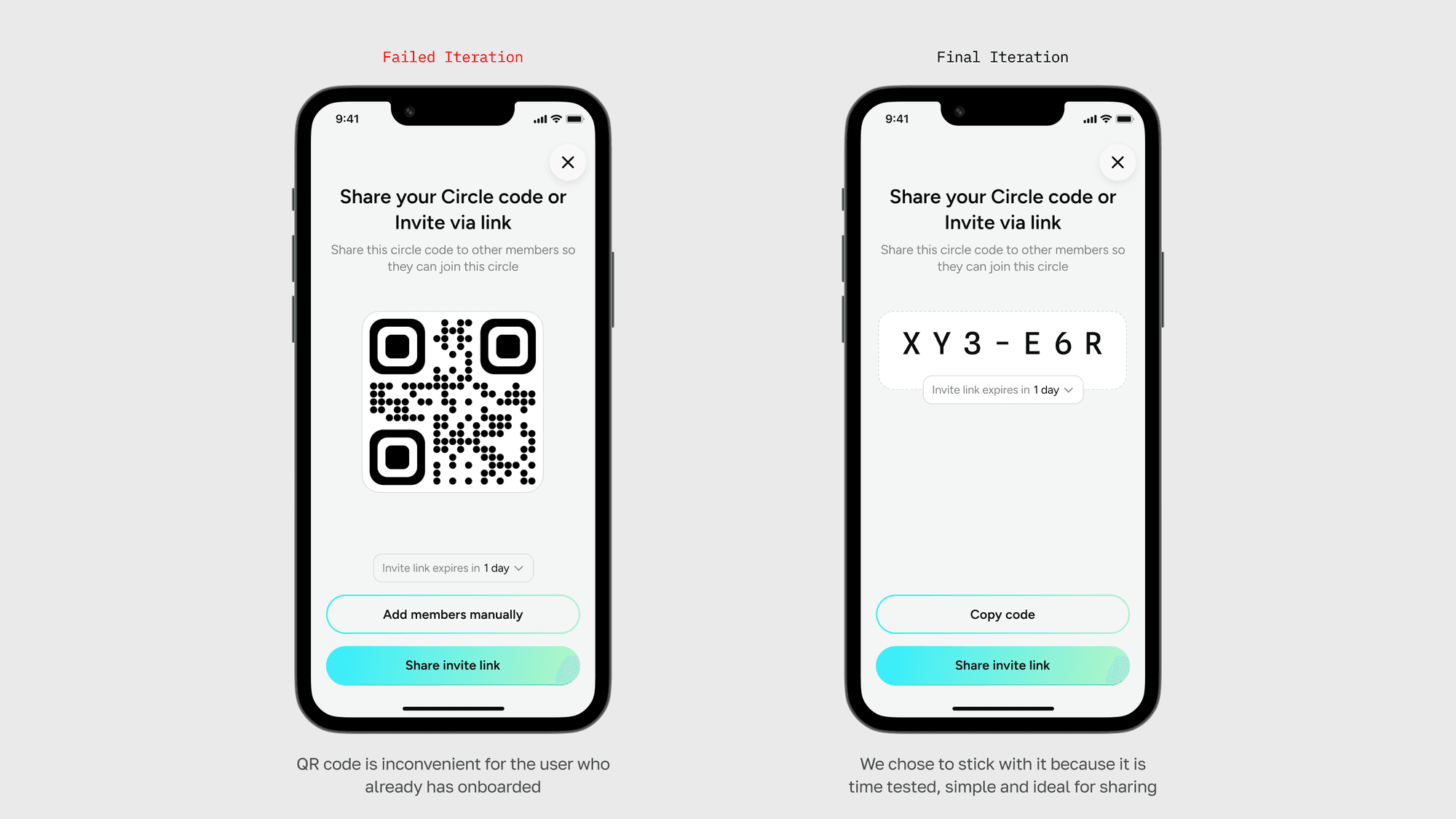
Joining a circle
Sharing social proof, members are more likely to join a circle if they see others they know are already there. This taps into our desire to belong and feel safe in familiar company.
Home experience
At first glance, members' whereabouts will be displayed alongside their battery level, network signal, and sound profile. Frequently tracked members can be pinned to the top for easy access.
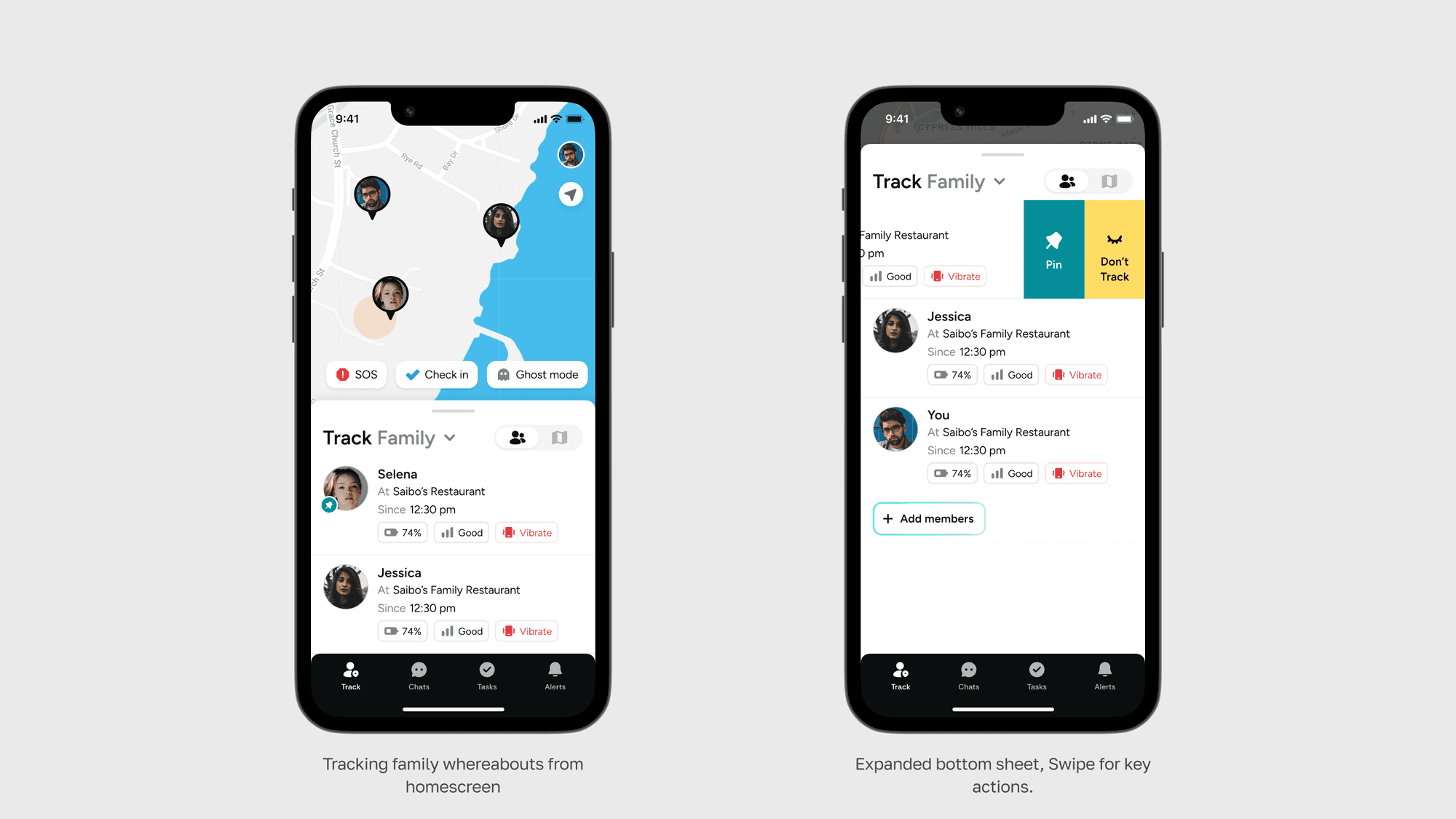
A toggle button beside the title lets users switch between people and places tabs.
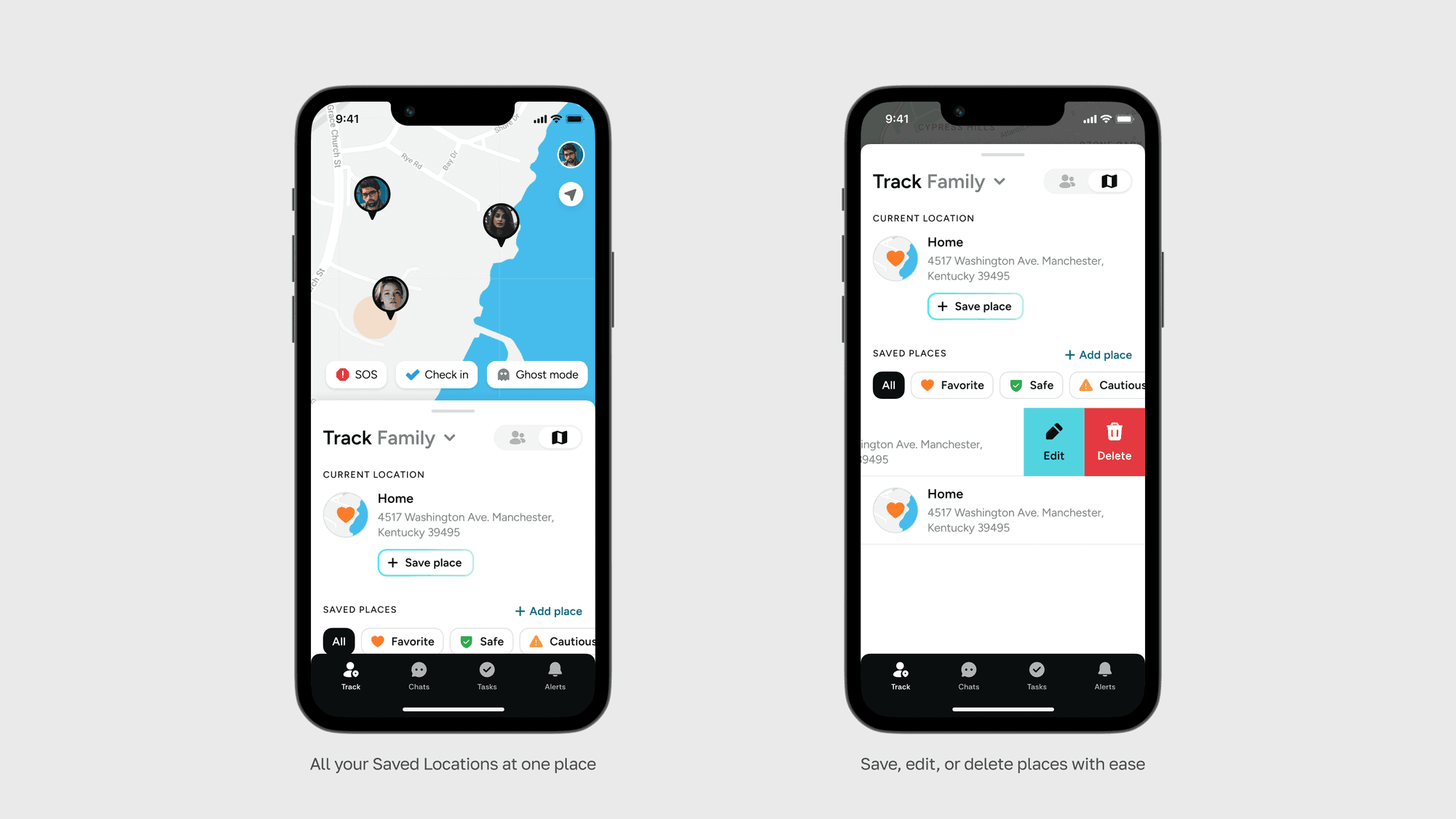
Users can keep track of everyone's current location and save them. Additionally, they can access all their saved places in a single location by simply scrolling up the card.
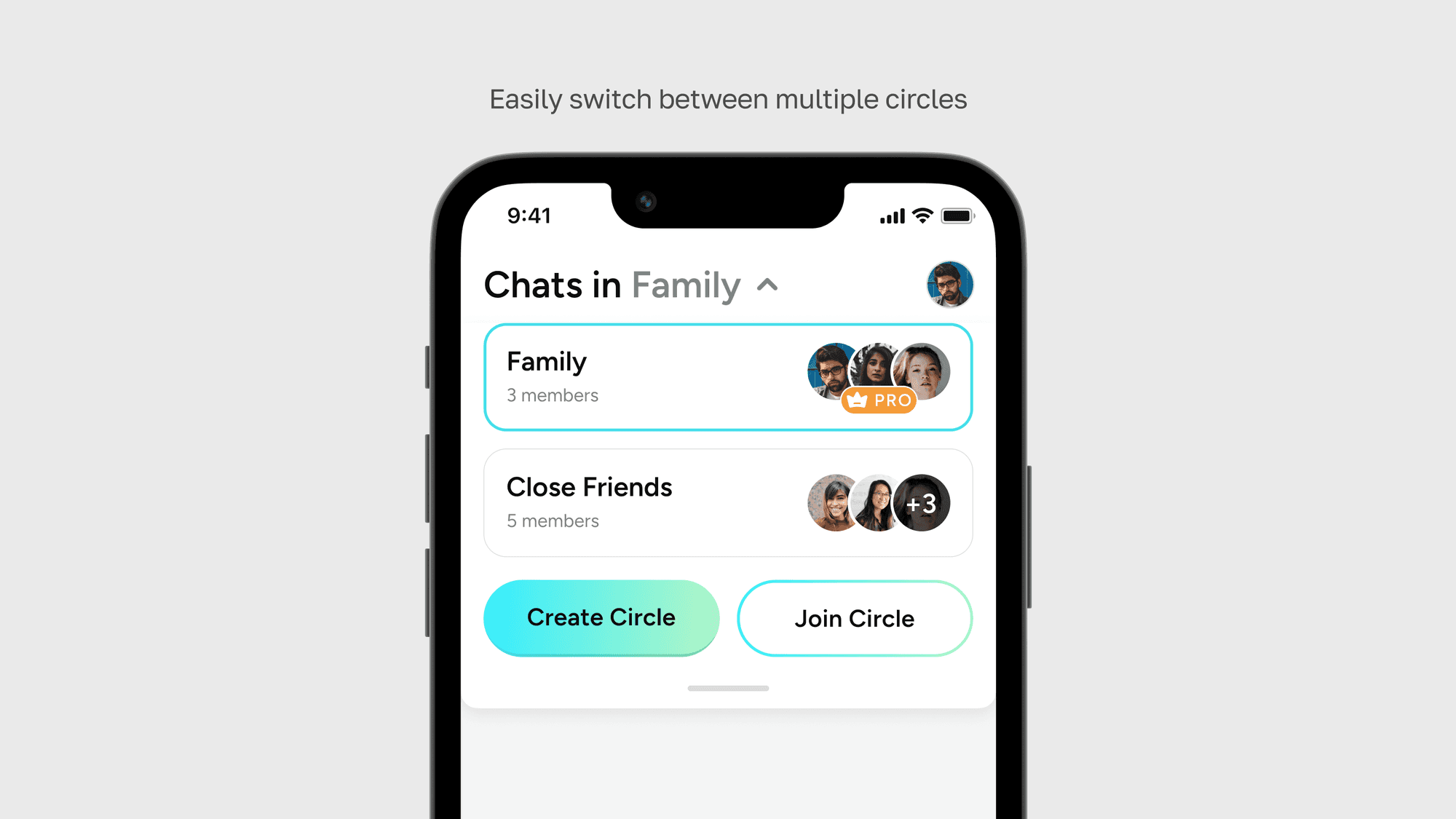
A top dropdown menu, available in all section titles, lets you easily navigate between your different circles.
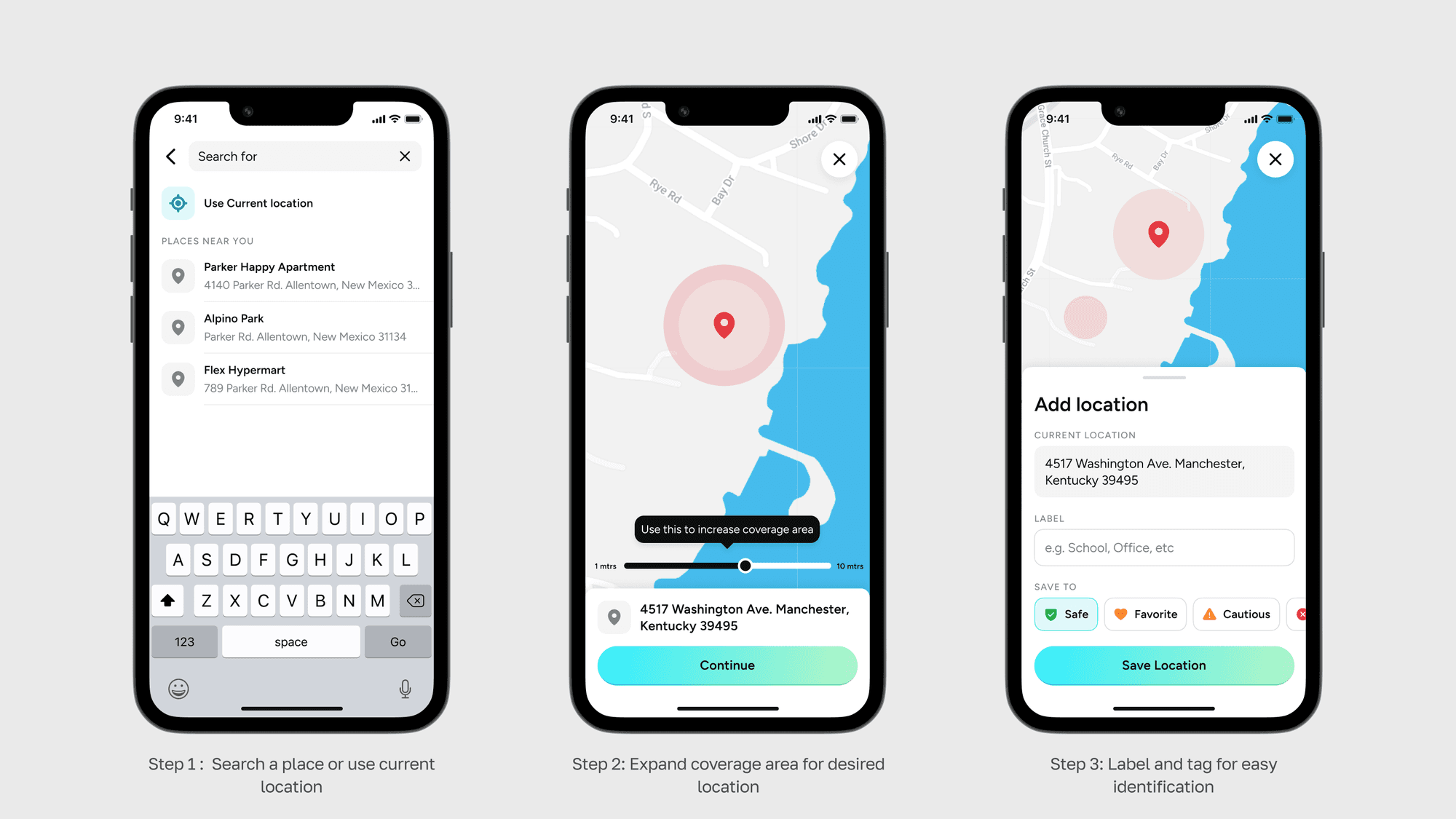
Adding a Place
Members can save frequent visited locations by adding name, assigning labels and marking it as places, favorites or cautious.
Setting Emergency SOS
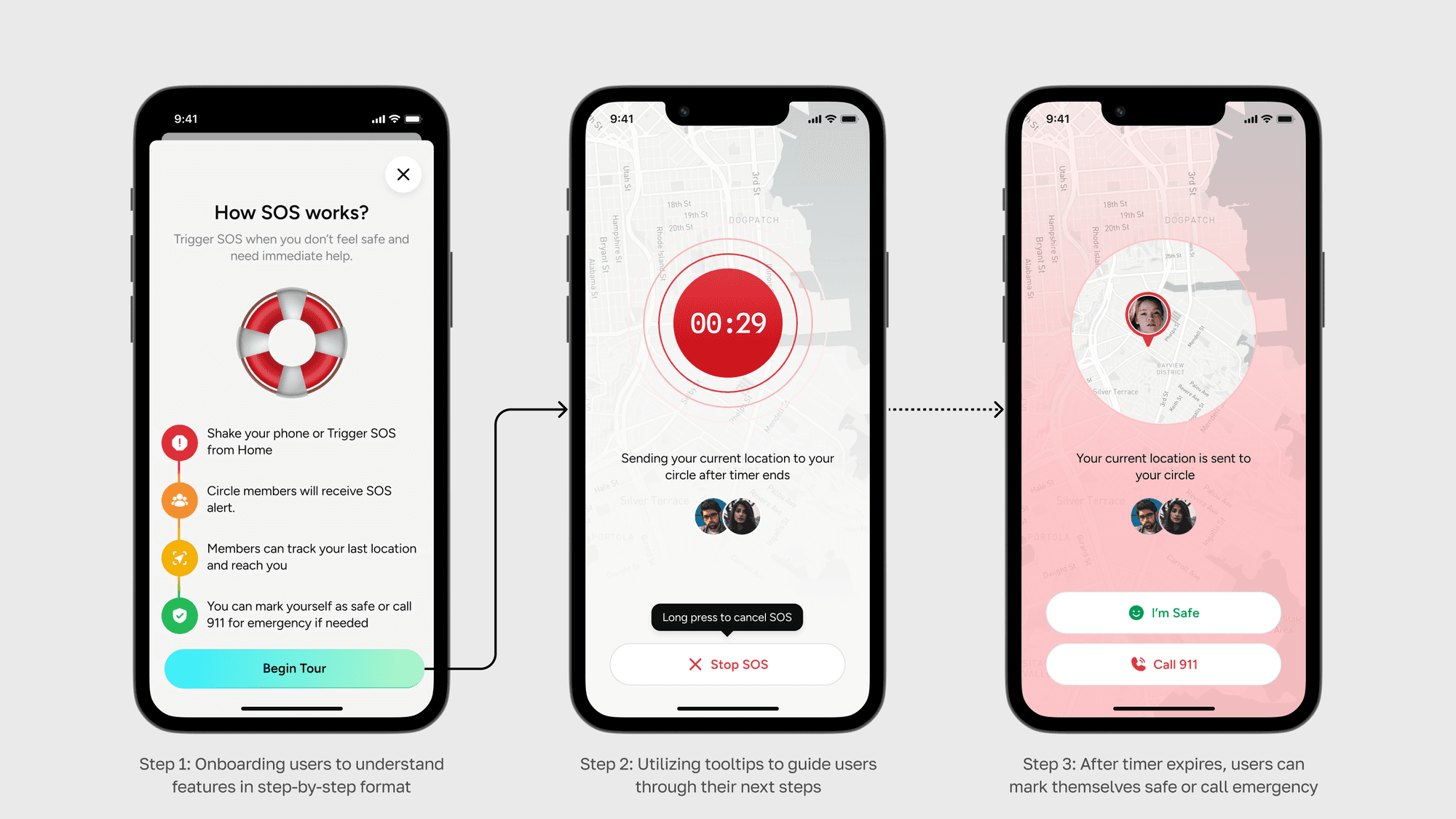
Implemented an SOS system that alerts the user's circle if they are in danger. Users have the option to either call 911 or mark themselves safe once they are out of danger after 30 seconds.
Checking in and Hiding Location
Users have the ability to check-in at a location to notify their family of their safety.
Additionally, They have a feature that helps to hide their location and show a approximate location instead of a precise one, though this can be further disabled by admin. For safety reasons, this feature is disabled by default for minors as it can be misused.
Chatting with Peers
Users can chat with other members and create groups within their circle.
Assigning Tasks
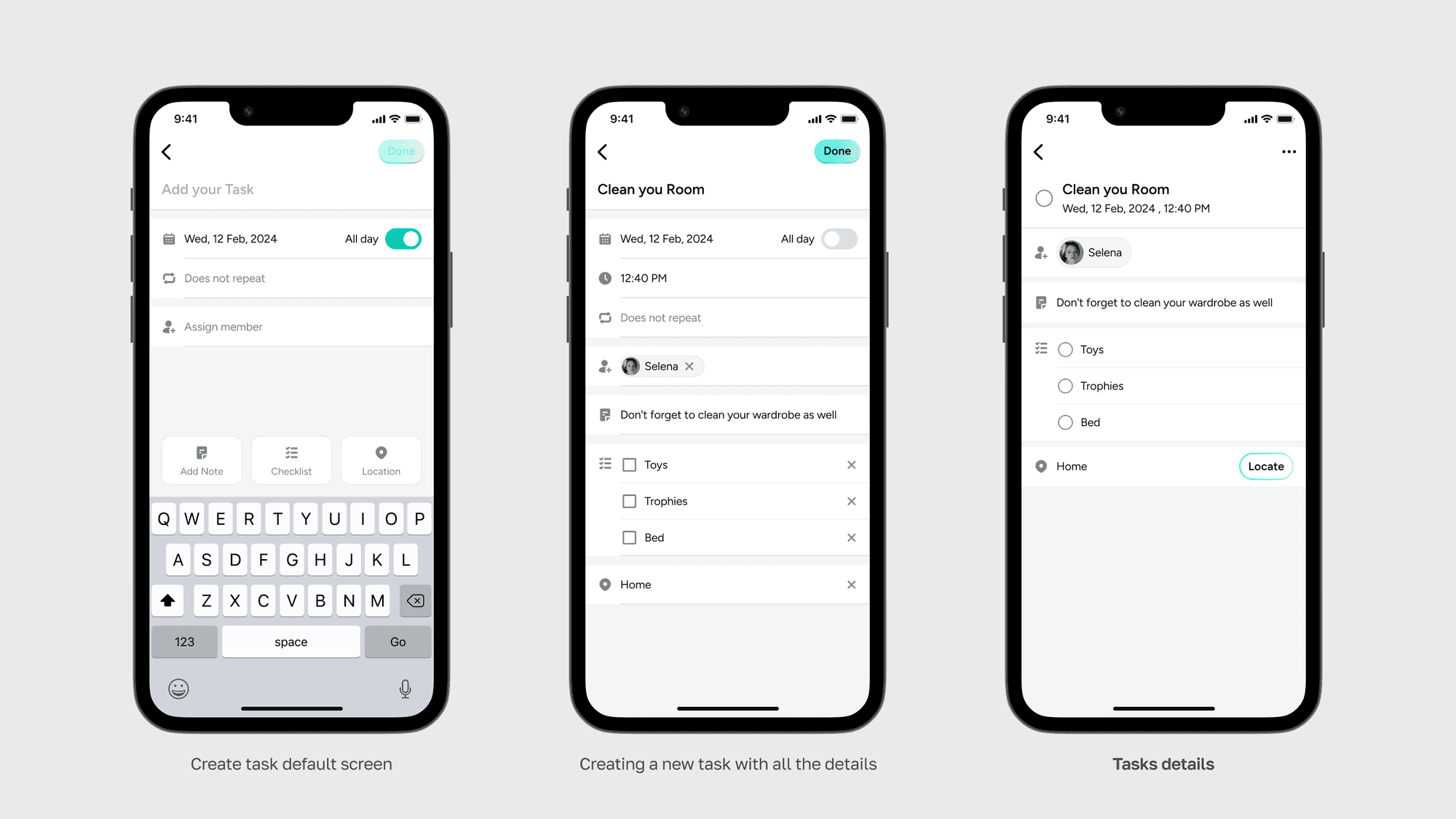
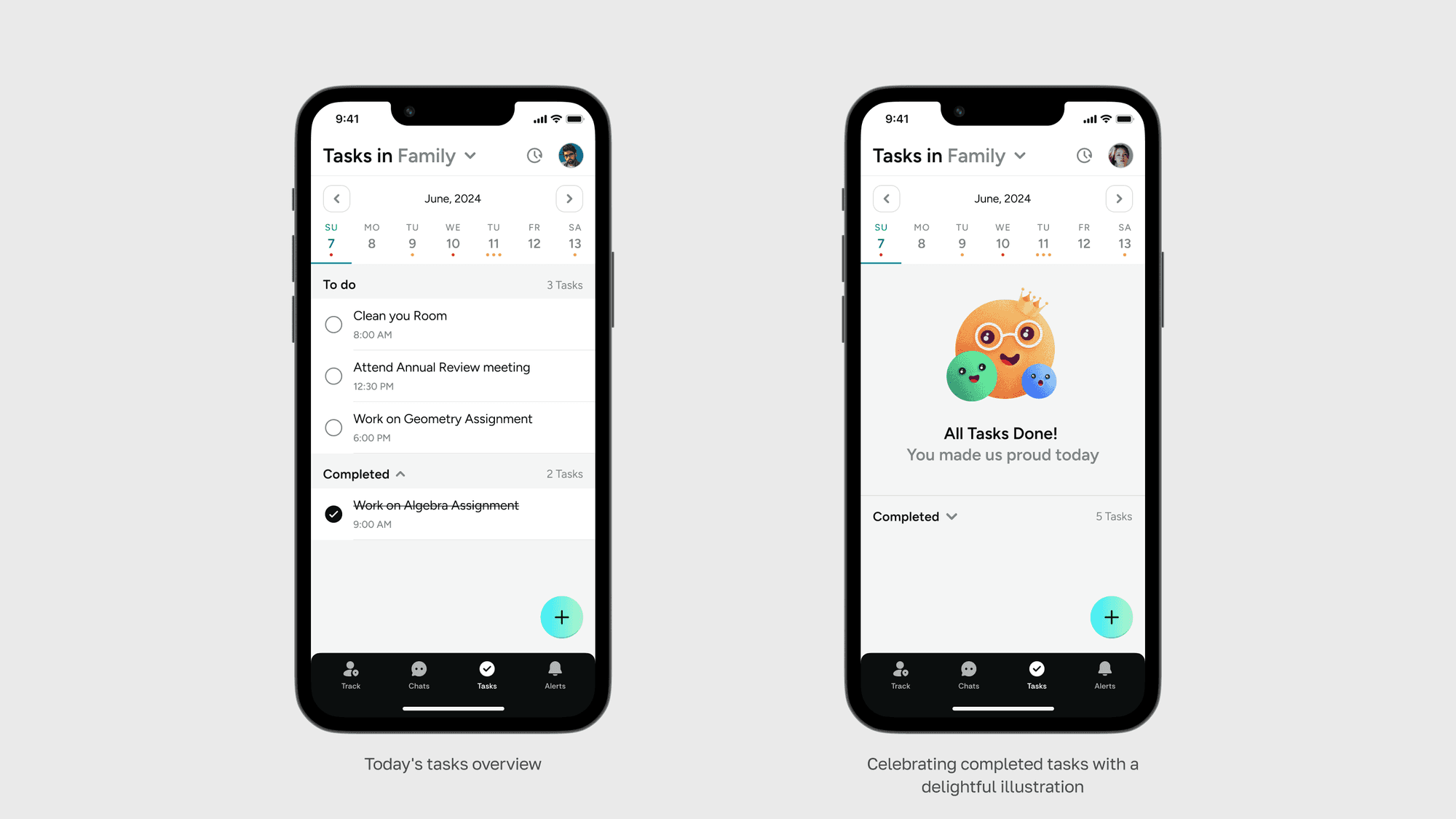
Circle members can assign specific tasks to other members, such as scheduling parent-teacher meetings, assigning home chores, and organizing family events.
Parents can set deadlines for completion, and once tasks are finished, children can mark them as completed.
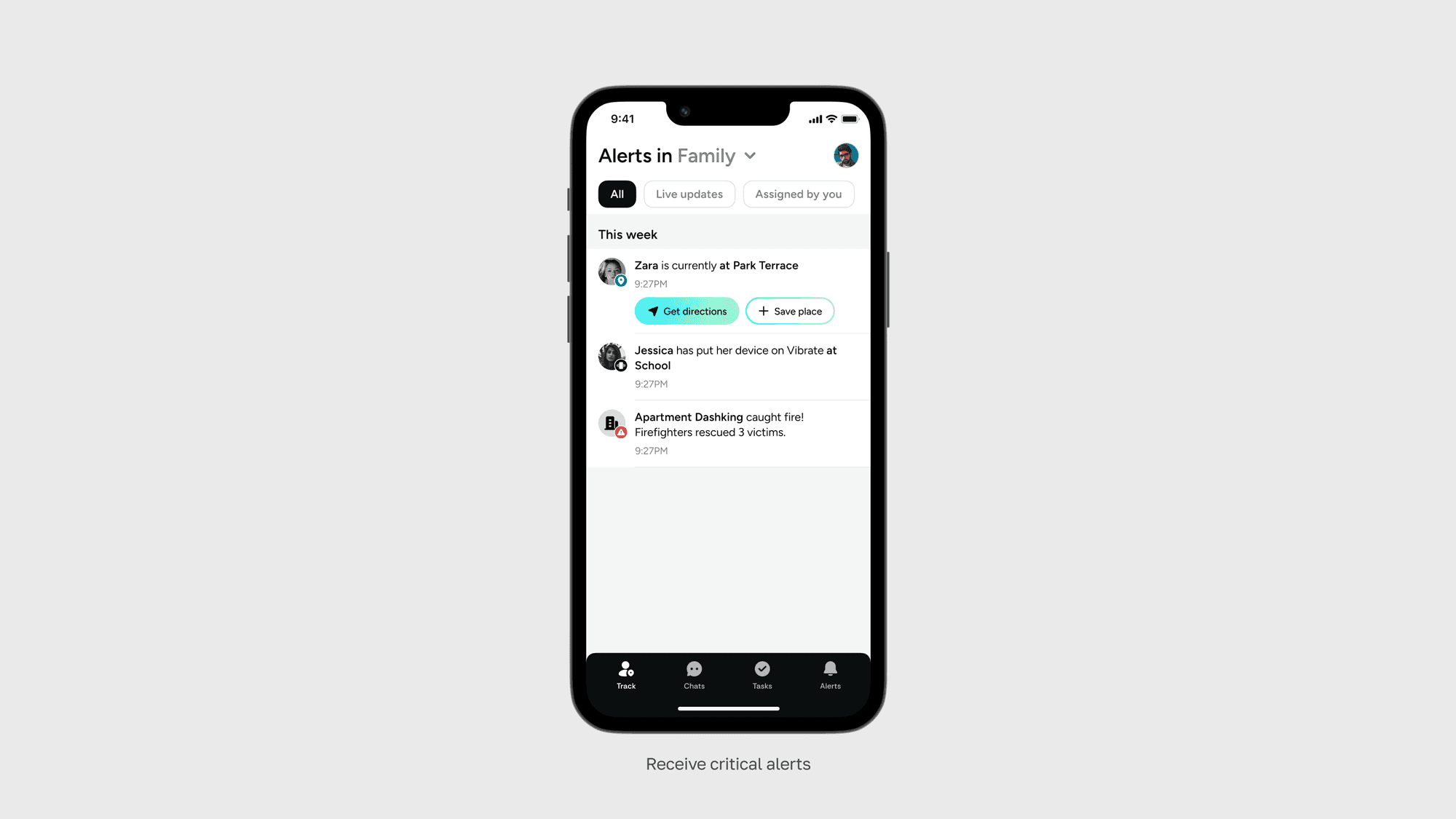
Receiving critical alerts
They can view location updates and zonal alerts of other circle members as per their preference.
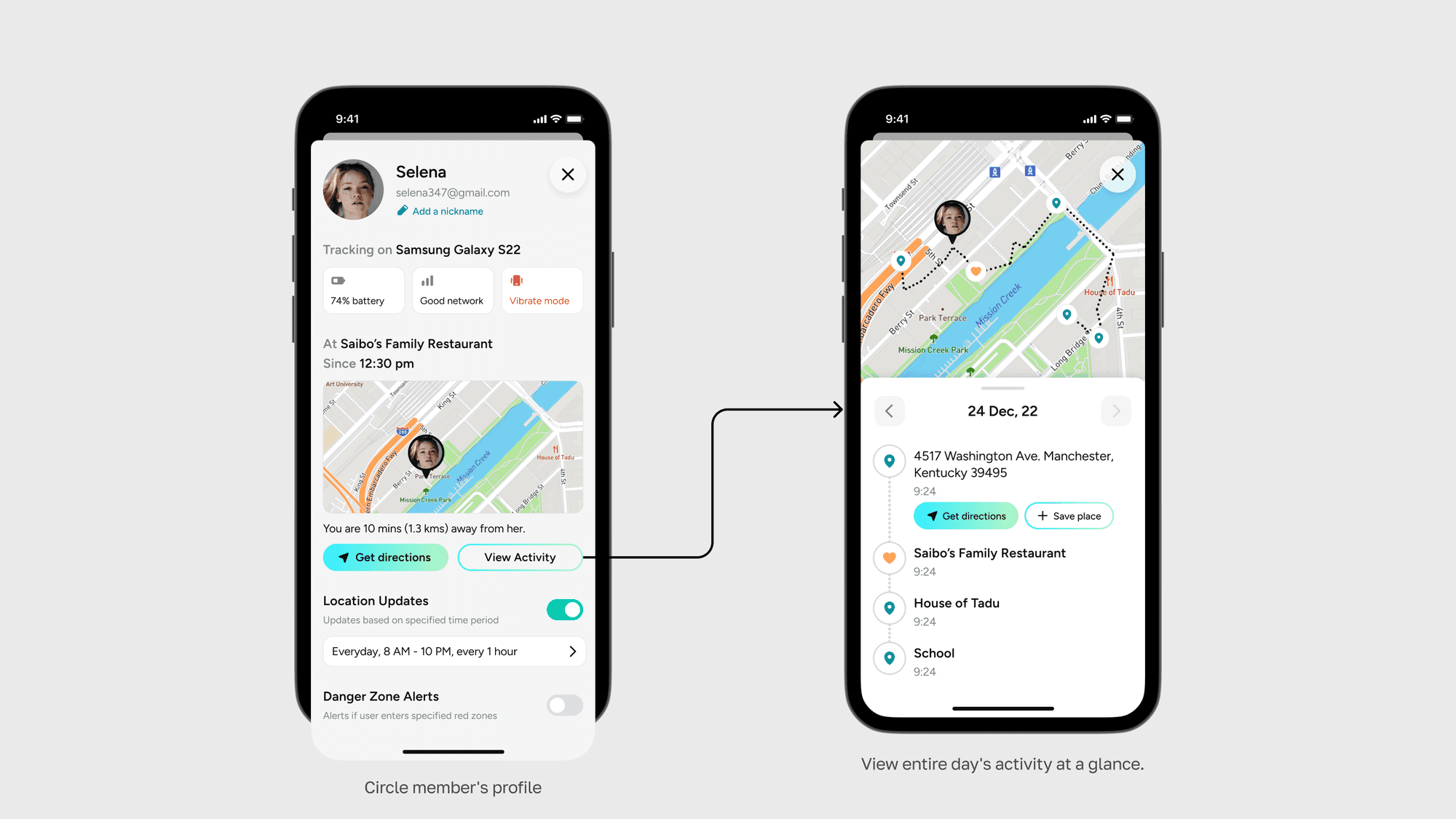
Profile and Timeline
Based on our testing, we found that instead of just using real names, nicknames can be used to make app more fun and easier to use for everyone. For example, if someone always gets called "JD" by their friends, using "JD" instead of their real name Jonathan would make things clearer for them.
Parents can set up periodic alerts to receive timely updates about their children and additionally view their location timeline if required.
Circle Settings
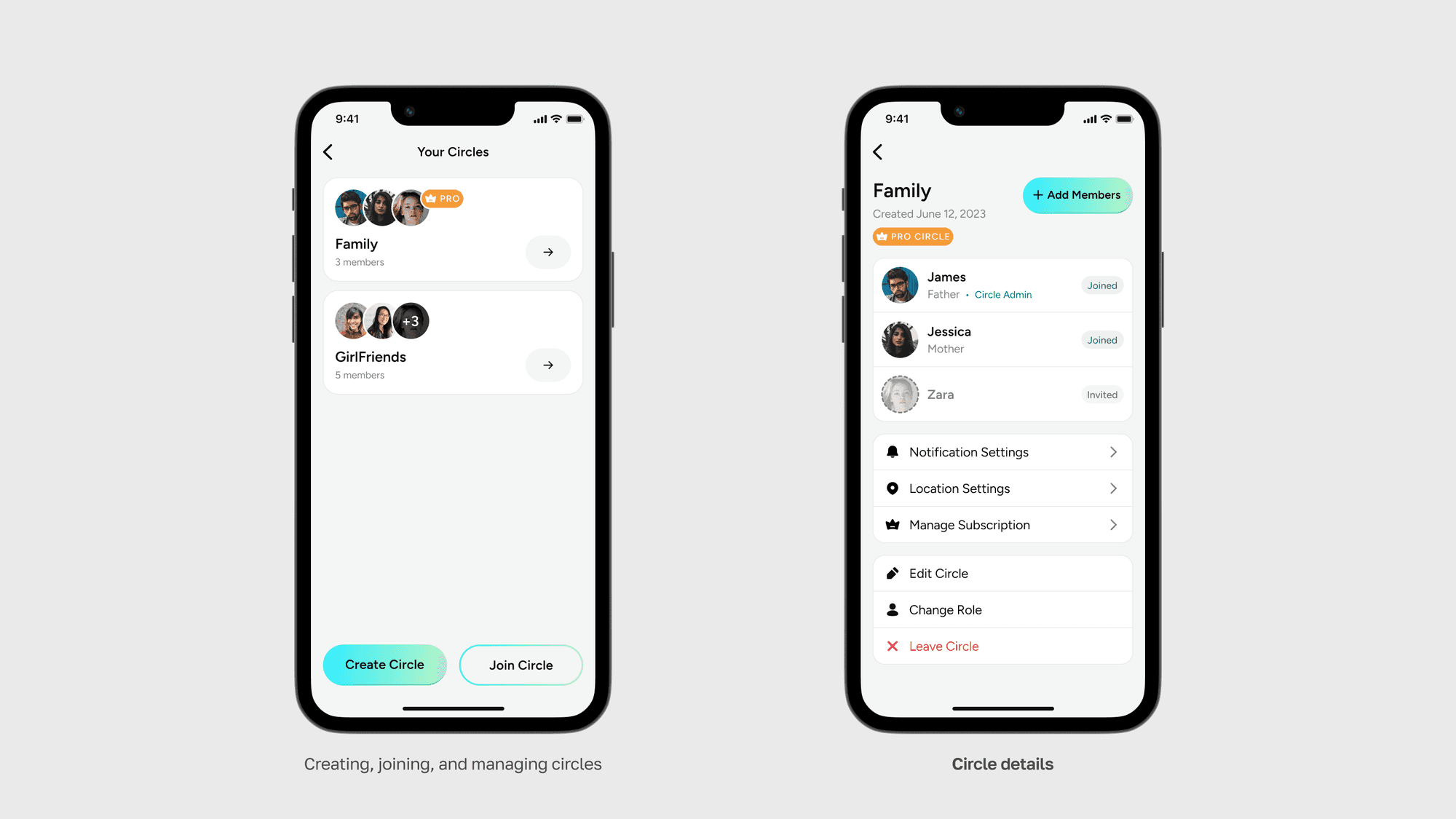
Admin can manage all the circles from the settings page.
Unlocking Extra features via Subscription
My goal was to encourage free users to upgrade by highlighting the free tier limits and value-added services that would enhance their experience.
Live Activities
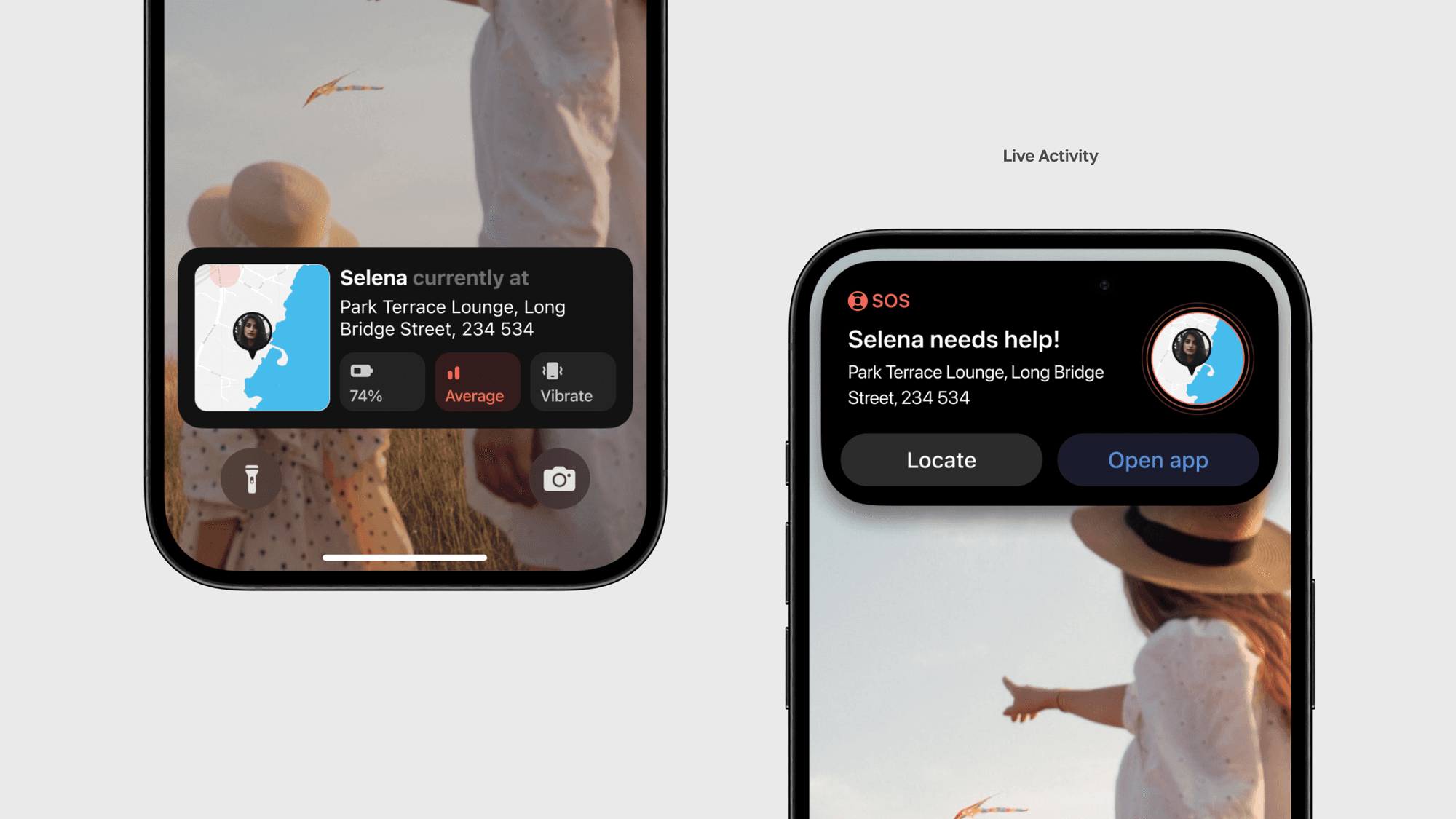
Staying with current technology trends, I integrated new iOS features like Live Activities into our app.
Challenges
Developing a family tracking app, such as TripCircle, posed several challenges that required careful consideration of privacy, security, and communication to ensure that the app would be beneficial to all parties involved.
One of the primary challenges was finding the right balance between accessibility and playfulness, which required extensive testing. Additionally, even small design changes in content had a significant impact on the overall user experience, highlighting the need for meticulous attention to detail.
Learning
Throughout the design of TripCircle, prioritizing features proved to be a valuable skill for me, enabling effective resource management and timely delivery. I learned that iteration is crucial; there are no shortcuts to achieving the optimal design solution, and testing multiple iterations was essential for refining the design. Swift decision-making and rapid testing with stakeholders and users were key factors in our progress, allowing me to make informed adjustments quickly and efficiently.